Filler Prank
~30s
All apps

Filler Prank

Photo Plans & pricing available Pranks

Your photo

Upload photo

Click to open Percify

About

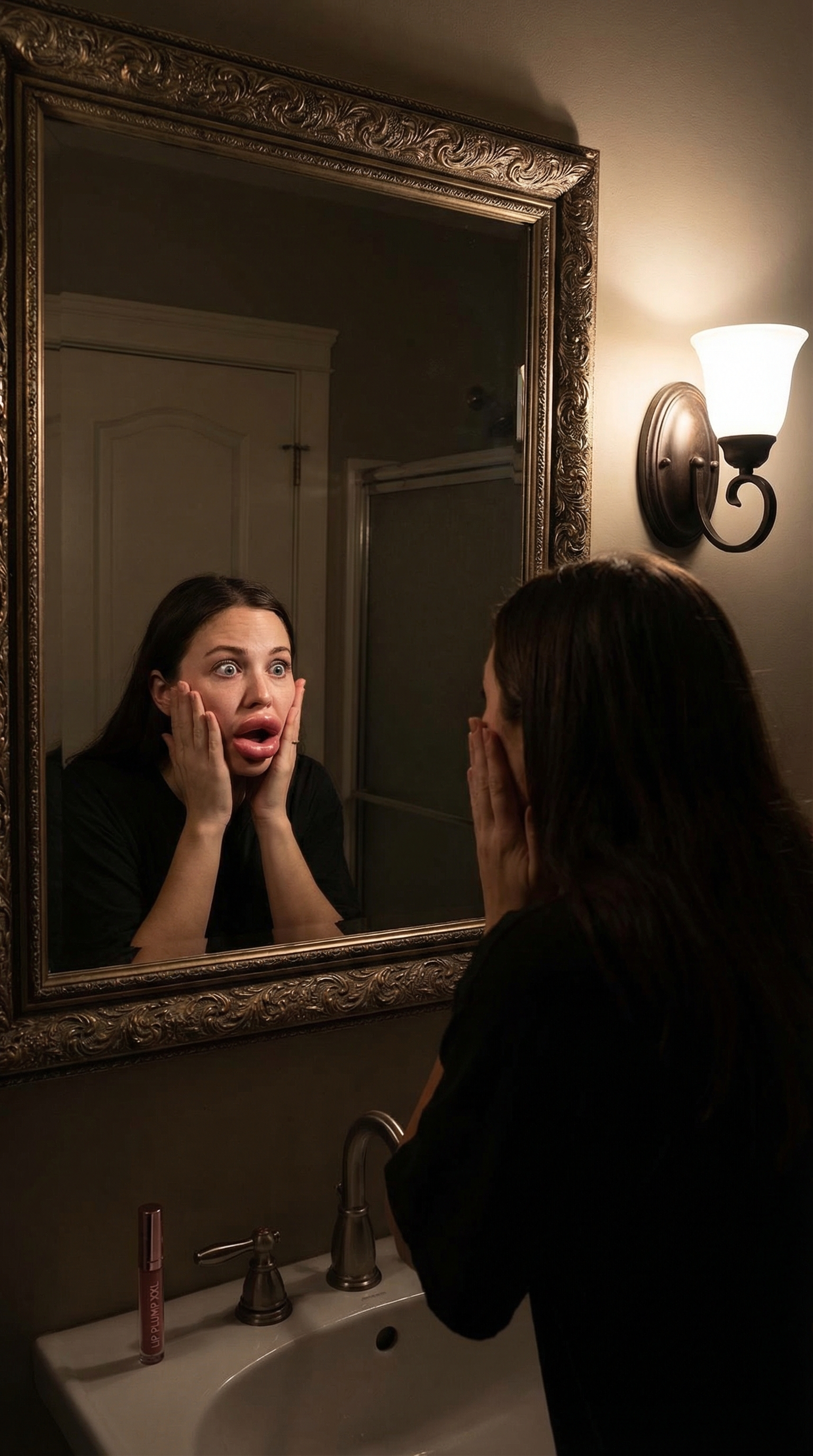
Filler Prank creates a comedic AI video of an exaggerated lip or face filler result. Share it with friends and family for a guaranteed double-take.

Beauty prank contentFriend reactionsViral comedy
View pricing

Deep dive

Learn more about Filler Prank

How Filler Prank works

Filler Prank creates a comedic AI video of an exaggerated lip or face filler result. Share it with friends and family for a guaranteed double-take.

Step-by-step process

Upload a portrait photo.

Select Filler Prank.

Generate AI result.

Share the clip.

Input requirements

Upload a well-lit, front-facing portrait photo, no heavy filters or crops.

Percify's AI models are optimised for facial feature preservation and style transfer.

Generation typically takes 15 to 45 seconds depending on server load.

Output quality & style

Filler Prank produces high-resolution image results that preserve your facial features while applying the target style. Results are optimised for social sharing.

What you get

Beauty prank content

Friend reactions

Viral comedy

Quality tips

Use a high-resolution input for sharpest results.

Avoid heavily filtered, blurry, or side-profile inputs.

Bright, even lighting improves likeness accuracy significantly.

Generations can be re-run with the same input for variation.

Ready-to-use prompt

Create a filler prank video with my photo showing over-done results.

Prompt tips

Be specific about mood, tone, and context for best results.

Reference a visual style or aesthetic if you have one in mind.

Keep prompts concise, 1 to 3 sentences is ideal.

You can re-run the same prompt to get multiple variations.

More ideas to try

Try a variation focused on: Beauty prank content.

Try a variation focused on: Friend reactions.

Try a variation focused on: Viral comedy.

Creative use cases for Filler Prank

Filler Prank is versatile. Here are the top ways creators and brands are using it right now.

Social & content

Beauty prank content

Friend reactions

Viral comedy

Campaign ideas

Build a before/after series showing transformation content.

Use the output as a hero asset for a paid social campaign.

Create multiple variations from the same photo for A/B testing.

Repurpose the result across Instagram, TikTok, and YouTube Shorts simultaneously.

Why Filler Prank performs

Filler Prank taps into a format audiences already recognise and engage with. By combining your likeness with a proven visual style, the result feels both personal and shareable, a rare combination in content creation.

The algorithm advantage

Social platforms reward novelty and strong visual hooks. Filler Prank produces content that stops the scroll because it pairs a familiar face with an unexpected style, triggering higher engagement signals.

Creator & brand results

Personalised AI content typically outperforms generic stock visuals by 3–5× on engagement rate.

Creators using Filler Prank report faster content production and consistent output quality.

Brands use it to scale diverse visual assets without large production budgets.

Why Percify

Percify's AI is built specifically for likeness preservation. Unlike general-purpose image generators, it's fine-tuned to keep your facial features recognisable across different styles, making every output feel genuinely yours.

Step by step

How to use Filler Prank

01

Upload your photo

Upload a portrait photo.

02

Generate

AI transforms your photo in 15-45 seconds.

03
2.4K18KShareSave

Download & share

Save your result or share it directly to social.

Quick answers

Key facts before you start

How fast is Filler Prank?

Most generations complete in 15 to 45 seconds, depending on input complexity and current queue load.

Can I use results commercially?

Yes. Percify outputs can be used for social content, ads, client work, and product listings, subject to platform and legal compliance.

How does pricing work?

Percify uses plan-based usage and credits. Current usage rates and plan details are visible in your account before you generate.

What input works best for Filler Prank?

Filler Prank is optimised for well-lit, front-facing portrait photos with the face unobstructed. Avoid blurry, heavily filtered, or heavily cropped inputs.

Do I need any design or editing skills?

No design or editing experience needed. Upload your photo, generate, and download. The AI handles the creative work. You'll need a Percify account and credits to run generations.

Can I run multiple generations?

Yes. You can re-run the same input as many times as you like to get different variations. Each generation consumes credits based on your active plan.

Comparison

Why teams choose Filler Prank on Percify

CriteriaPercifyManual editingGeneric AI tools
Time to first output15-45 seconds30-120 minutes5-20 minutes with extra prompt tuning
Likeness consistencyHigh, tuned for avatar and face fidelityDepends on editor skillVariable across generations
Commercial readinessBuilt for creator and business workflowsPossible, but slower and expensivePossible, but less workflow-specific
Technical skill requiredNo design skills needed, guided workflowHigh, requires professional toolsMedium, prompt tuning needed
Output formatHigh-resolution image, ready to exportDepends on software and export settingsImage or video, often needs post-processing
Variation & iterationRe-run the same input instantly for new resultsEach variation requires manual reworkRe-prompting needed for each variation

Got questions?

Frequently asked

Filler Prank works best with a clear, well-lit portrait photo with the face fully visible. Avoid blurry or heavily cropped inputs.

Most results are ready in 15 to 45 seconds depending on input complexity and server load.

Yes. All content generated on Percify can be used commercially: social media, ads, client work, and product listings.

Percify uses plan-based usage and credits. Exact usage cost can vary by workflow and plan tier, so the best next step is to create an account and view current plan details in-app.

Percify's AI preserves key facial traits while adapting the scene, style, and environment. Results vary based on input photo quality.

