

Turn audio into a video you can post
Add your audio and an image, pick a style and a shape, then download an MP4.
Picture
Shape
Add audio to start.

What this tool does
The converter is free and runs in your browser: MP3, WAV or M4A up to 250 MB and 10 minutes becomes an MP4 with a still image or waveform, no sign up, no watermark, and the audio is not uploaded. To make a face speak the audio instead, Percify animates one photo with lip sync at 2 credits a second (a 30 second clip is 60 credits).

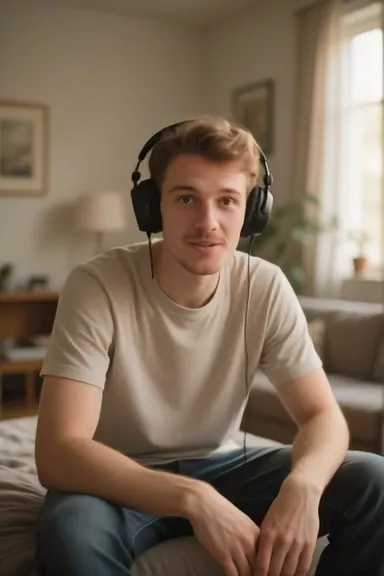
Want a face speaking instead of a waveform?
One photo and this same audio file become a lip synced talking video.
One photo of the host
A sharp, front facing photo. Yours, or one you have the rights to.
The audio you already have
Use the same MP3, WAV or M4A; the mouth, jaw and head move to it.
2 credits a second
A 30 second clip is 60 credits, and the cost shows before you make it.

How the converter works
It runs in your browser. Nothing is uploaded.
- Step 1
Add the audio
MP3, WAV or M4A, up to 250 MB and 10 minutes.
- Step 2
Add an image and pick a style
A cover or photo with a waveform over it, the image alone, or just the waveform with no image at all.
- Step 3
Choose a shape and download
9:16 for Reels and Shorts, 1:1 for feeds, 16:9 for YouTube. The video is made on your device.
Which style for which post
Use it from an AI assistant
Every setting is a URL parameter, so an assistant can send a link with the options already chosen.
- style: both, image, wave (default both). Picture
- shape: 9:16, 1:1, 16:9 (default 9:16). Shape
A vertical podcast clip with image and waveform: https://percify.io/tool/audio-to-video-converter?style=both&shape=9:16
A YouTube video with a still image: https://percify.io/tool/audio-to-video-converter?style=image&shape=16:9
Every free tool and its parameters, as JSON: percify.io/tools.json. Platform facts checked on 17 September 2026 against each platform’s own help pages.
More free tools
Video resizer
Choose a video, pick a shape and a fit, and download the result. Your file never leaves your device.
OpenVideo to GIF converter
Choose a clip, pick the length, width and frame rate, and download a looping GIF. The file never leaves your device.
OpenCombine two videos
Add the first and second video, pick the shape of the result, and download one MP4. Different sizes are fitted automatically.
OpenQuestions, answered
How do I convert audio to video for free?
Add the audio file, optionally an image, choose image and waveform, image only or waveform only, pick a shape, and download the MP4. It runs in your browser with no upload.
Can I make a video from an MP3 without an image?
Yes. Choose Waveform only and the video shows a moving white waveform on black for the length of the audio.
What size should an audio video be for Instagram or YouTube?
Choose 9:16 for Reels, Shorts and TikTok, 1:1 for square feed posts, and 16:9 for YouTube. The tool outputs 720 by 1280, 720 by 720 or 1280 by 720.
How long does it take?
Image only videos are quick. Waveforms are drawn frame by frame, so a few minutes of audio can take a few minutes in the browser; keep the tab open.
Is my audio uploaded?
No. It is processed on your device with FFmpeg running in WebAssembly.