Quick Answer
Avatar Studio turns one clear photo and a script into a video of that face speaking, lips in sync. Across 179 finished renders from 61 accounts between 7 May and 2 September 2026, the median clip people keep is 19 seconds, 66% run under 30 seconds and 2.8% run past two minutes. Rendering costs about 7.5 seconds of compute per second of video, so a 20-second clip is roughly two and a half minutes of waiting. Renders at 480p averaged 69 credits; 720p averaged 155.
One photo and a script become a video of that face speaking. What 179 finished renders from 61 accounts say about the length, cost and framing that work.
Keep reading
Related next steps
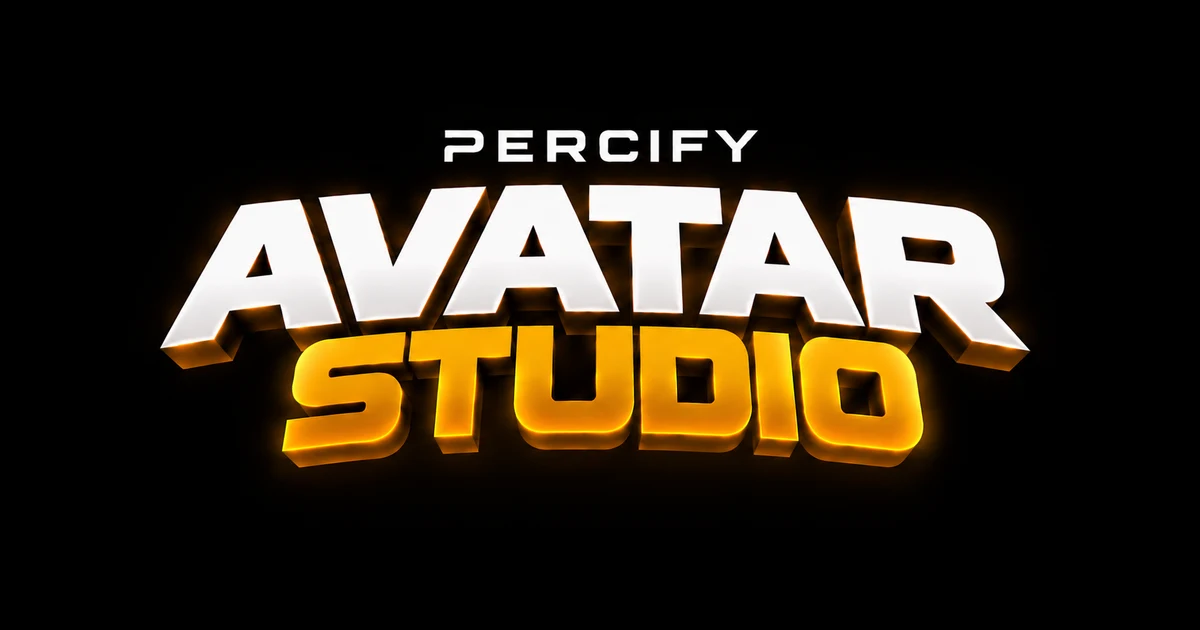
You give it two things: one clear photo of a face, and the words you want said. It returns a video of that face saying them, with the mouth driven by the audio rather than animated by hand.
There is no filming step, no rig and no camera. The photo is the input the model conditions on, which means the quality of the result is largely decided before you press generate. That is the part most guides skip, and it is the part worth reading.
The length people actually publish
Every guide to talking-head video recommends a two-minute case study. Almost nobody makes one.
We looked at every finished render on the platform between 7 May and 2 September 2026: 179 renders across 61 accounts.
| measure | value |
|---|---|
| median clip length | 19.0 seconds |
| under 30 seconds | 66% |
| over two minutes | 2.8% |
Two thirds of everything people finish is under half a minute. That is not a limitation of the tool; it is what the format is for. A spokesperson clip earns its place as a hook, an answer or an intro, and all three of those are short.
So write for twenty seconds. If your script will not fit, that is usually a signal to cut it into two clips rather than to render one long one. The same instinct applies on every platform: YouTube's own guidance for Shorts ↗ and the way Instagram surfaces Reels ↗ both reward a clip that lands its point before the viewer decides.
What it costs, and why resolution is the whole bill
Rendering is priced per second of output. The resolution you pick changes the bill more than anything else you can do:
| resolution | renders | average credits |
|---|---|---|
| 480p | 121 | 69 |
| 720p | 52 | 155 |
That is roughly 2.2x the price for the same script. Two thirds of people pick 480p and keep the result, which tells you most of what you need to know about whether the upgrade is worth it for social.
The case for 720p is a close-up that will be watched full screen on a good display. The case against it is everything else. The current per-render cost sits on the pricing page, and it is one credit meter across images, voices and video rather than a set of quality tiers — there is no watermark tier and no speed tier to buy your way out of.
How long you will wait
The provider spends about 7.5 seconds of compute per second of finished video. Median render time is 168 seconds; the slowest tenth take 757 seconds or more.
In practice: a 20-second clip is around two and a half minutes, and a 60-second clip is closer to eight. Queue it and go do something else.
This is worth saying plainly because it is the opposite of the realtime surface, where results land in seconds and the loop is type, watch, retype. Two different interactions, deliberately kept on two different screens.
What makes a photo work
About 9% of clips get retried — of 160 distinct source images, 145 worked first time, 13 were run twice, one three times and one five times.
The image that was run five times is the interesting one. Nobody repeats a source five times because the model is having a bad day. They do it because that particular photo cannot produce a good result, and nothing told them why.
Four faults cause almost all of it:
- The face is too small in frame. Lip-sync models rebuild the mouth region, so what matters is how many pixels the mouth occupies, not the output resolution. Below roughly a quarter of frame width there is not enough detail to rebuild. A close-up at 480p beats a wide shot at 720p, every time.
- The head moves too fast. Motion competes with the mouth the model is drawing, and the mouth loses.
- Something crosses the mouth. A hand, a microphone, a hair strand — anything that occludes the region being rebuilt.
- The audio is a translation but the mouth came from the original. The shapes then belong to another language. Because visemes ↗ differ between languages, the timing can look right while every shape is wrong. This one is invisible until you know to look for it, and it is covered in full in why AI lip sync looks wrong.
Only the first is reliably fixable without a different photo. Crop closer before you generate; upscaling the output afterwards does not put detail back that was never captured.
Writing twenty seconds that work
A short script is not a long script with the middle removed. The structure that survives the cut is:
- One sentence of hook. The claim, the number, or the question. Not an introduction to the claim.
- Two or three sentences of substance. The thing you actually know.
- One sentence of exit. Where to go next, or the line you want repeated.
Read it out loud before you render. If you run out of breath, it is too long, and the model will not fix that for you — it will faithfully deliver a rushed performance.
If your audio is a recording rather than typed text, normalise it first. Wildly varying loudness makes the mouth energy jump around; ffmpeg's loudnorm filter ↗ is the standard fix and takes one command.
Where it sits next to the other studios
Avatar Studio is the one that makes a person speak. The others build on it:
- Voice Studio decides whose voice comes out of the mouth, and dubs it into another language.
- Clone Yourself is the setup step that makes the face and the voice yours rather than a stock presenter's.
- Podcast Studio runs two of these at once, as a conversation rather than two monologues.
- Content Replication takes a short that already worked and performs its structure again with your avatar.
- Viral Intelligence is where you find out what is worth saying in the first place.
If you are choosing between platforms rather than between studios, the engine-by-engine comparison is the honest version of that question, and it is measured rather than argued. Tools like Synthesia ↗ and D-ID ↗ solve the same job with different trade-offs; a ranked list of avatar generators is a better starting point than any single vendor's page, including ours.
The shortest useful workflow
- Pick a photo where the face fills at least a third of the frame and nothing crosses the mouth.
- Write twenty seconds of script. Read it out loud first.
- Render at 480p.
- Watch the mouth, not the face. If the timing is right but the shapes are wrong, the audio and the mouth came from different languages.
- Only move to 720p once the clip is one you would actually publish.
Everything above is measured on our own production data rather than estimated, which is also why the numbers are unflattering in places — a 9% retry rate is a real number and a marketing page would not print it. You can see what other people have made before deciding whether any of this is for you, or start with a photo on the free tier.
Related on Percify
- Build your digital twin — the setup step that makes the face and voice yours.
- Voice Studio — whose voice comes out of the mouth.
- Podcast Studio — two speakers instead of one.
- Every studio at a glance — the whole product on one page.
- What it costs — one credit meter, no quality tiers.
- Avatar generators ranked — including the ones that are not us.
Ready to Create Your Own AI Avatar?
Make a talking video of yourself from one photo, in your own voice. No watermark on any plan.
Cancel anytime from your profile
Got questions?
Frequently asked
Around twenty seconds. Across 179 finished renders on Percify the median clip is 19.0 seconds, 66% are under 30 seconds and only 2.8% run past two minutes. The common advice to make a two-minute case study is not what people actually finish or publish.
480p for almost everything. Lip-sync models rebuild the mouth region, so framing decides quality far more than resolution: a close-up at 480p has more mouth detail than a wide shot at 720p. On Percify, 121 renders at 480p averaged 69 credits against 155 credits for 52 renders at 720p, roughly 2.2x for the same script.
About 7.5 seconds of compute per second of finished video. Median render time is 168 seconds and the slowest tenth take 757 seconds or more, so a 20-second clip is roughly two and a half minutes and a 60-second clip closer to eight.
The face is too small in the source photo. Below roughly a quarter of frame width there is not enough mouth detail for the model to rebuild. Crop closer before generating; upscaling the finished video does not recover detail that was never there.
No. One clear photo of a face is the only visual input. The script can be typed, or recorded if you would rather your own audio drive the lip sync.

